Applications portal
Imperial College London
Software
2,024
01/
Overview
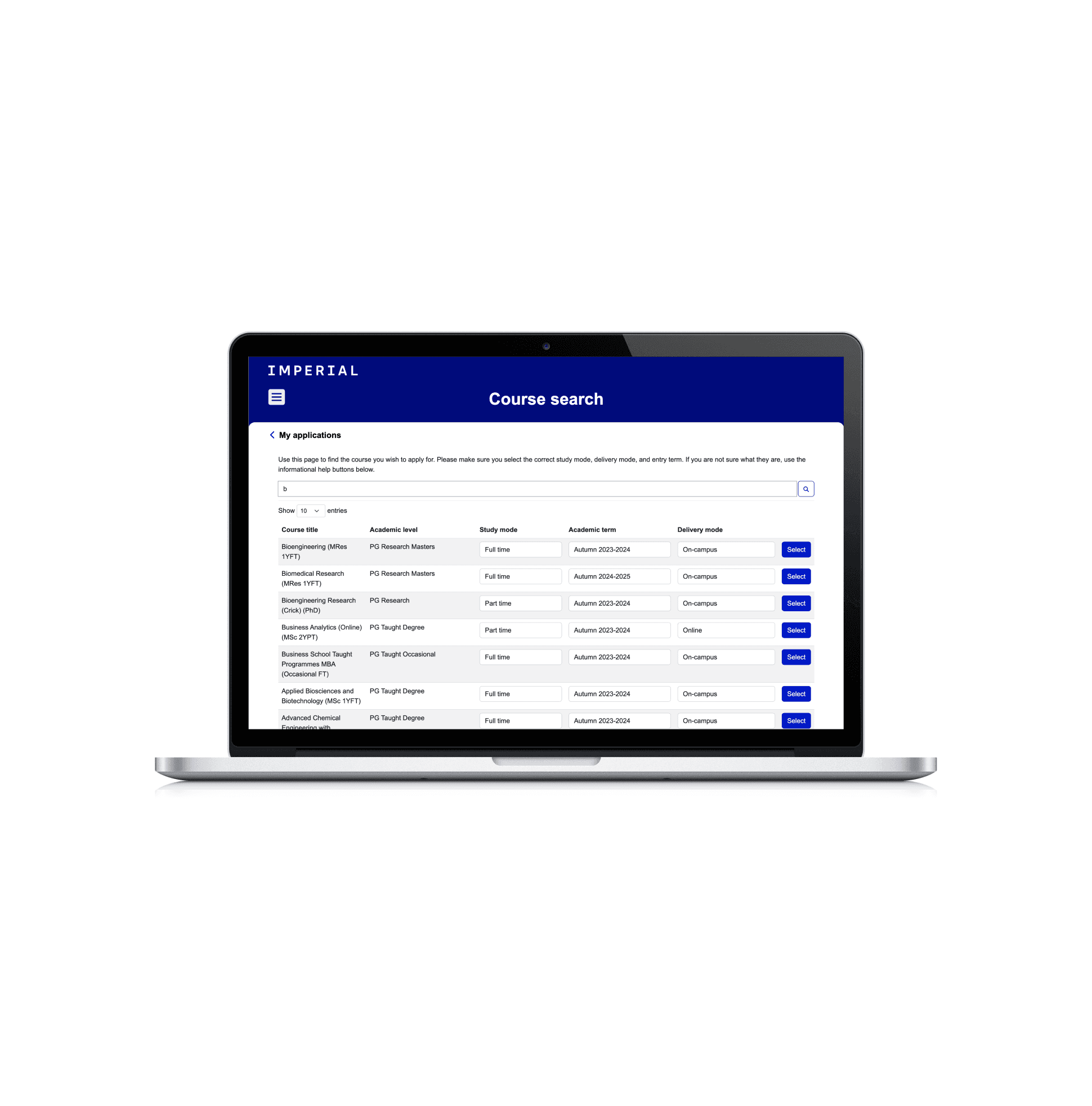
The Applications portal centralises Imperial College London's postgraduate and short course application process. Whilst applications were open, several issues were identified, both internally and by external stakeholders, requiring significant modifications to improve the platform’s usability and functionality. The variety of courses with different criteria also necessitated new features to ensure accurate data capture. Throughout this process, maintaining consistency with Imperial College’s branding was essential. I addressed long-standing tickets from the backlog, working with admissions SMEs to test and refine changes, benefiting both staff and prospective students. To improve efficiency, I developed a standard list of information for tickets, saving approximately three hours per task due to the system's complexity, laying the foundation for further platform improvements.
Stack:
Javascript/jQuery
Liquid
JSON
02/
Process
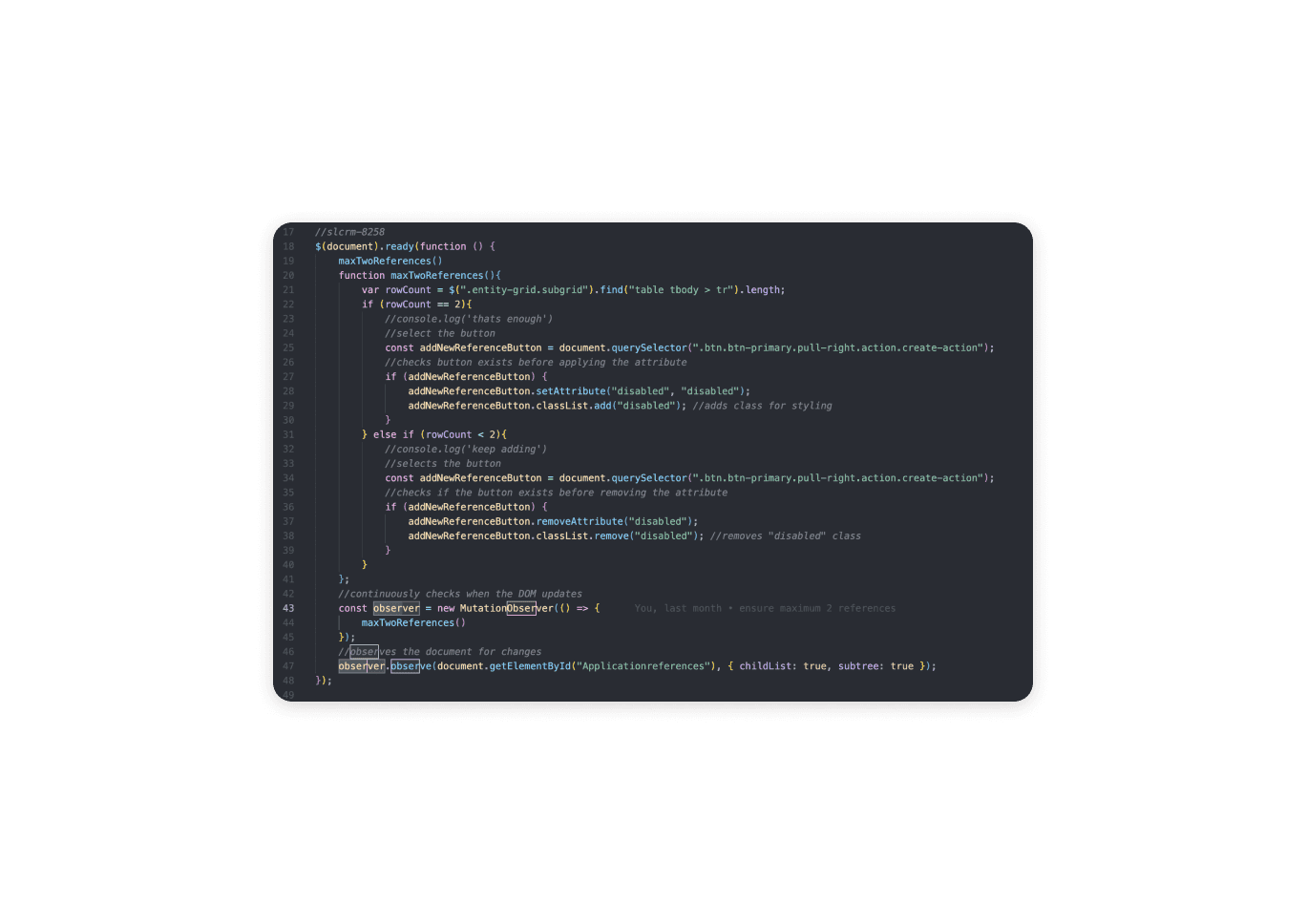
For one of the tickets I worked, I resolved an issue where applicants could previously add more than two references despite the system limit, leading to confusion when they were unable to proceed after creating a third reference. To address this, I implemented an observer mutation to monitor the reference section and dynamically disable the "Add Reference" button when two references were present. This same logic re-enabled the button when only one reference was present, ensuring the functionality was seamless without requiring a page refresh. I then isolated the specific div to be monitored in order to optimise performance and avoid calling the function excessively.
Another significant ticket involved me implementing conditional logic to display specific questions based on the selected Business School course. This was achieved by using a show/hide mechanism and disabling the required state for certain fields, allowing users to progress through the form smoothly. I also modified the character limits and descriptions for specific fields. I deemed it best to adjust the character limit using JavaScript, as opposed to modifying the Dataverse column, as that approach ensured that the changes were not reset with each deployment or solution import. This method reduced the risk of forgetting the adjustments and was more efficient compared to manually updating the column, as pull requests for code changes are faster and more reliable.
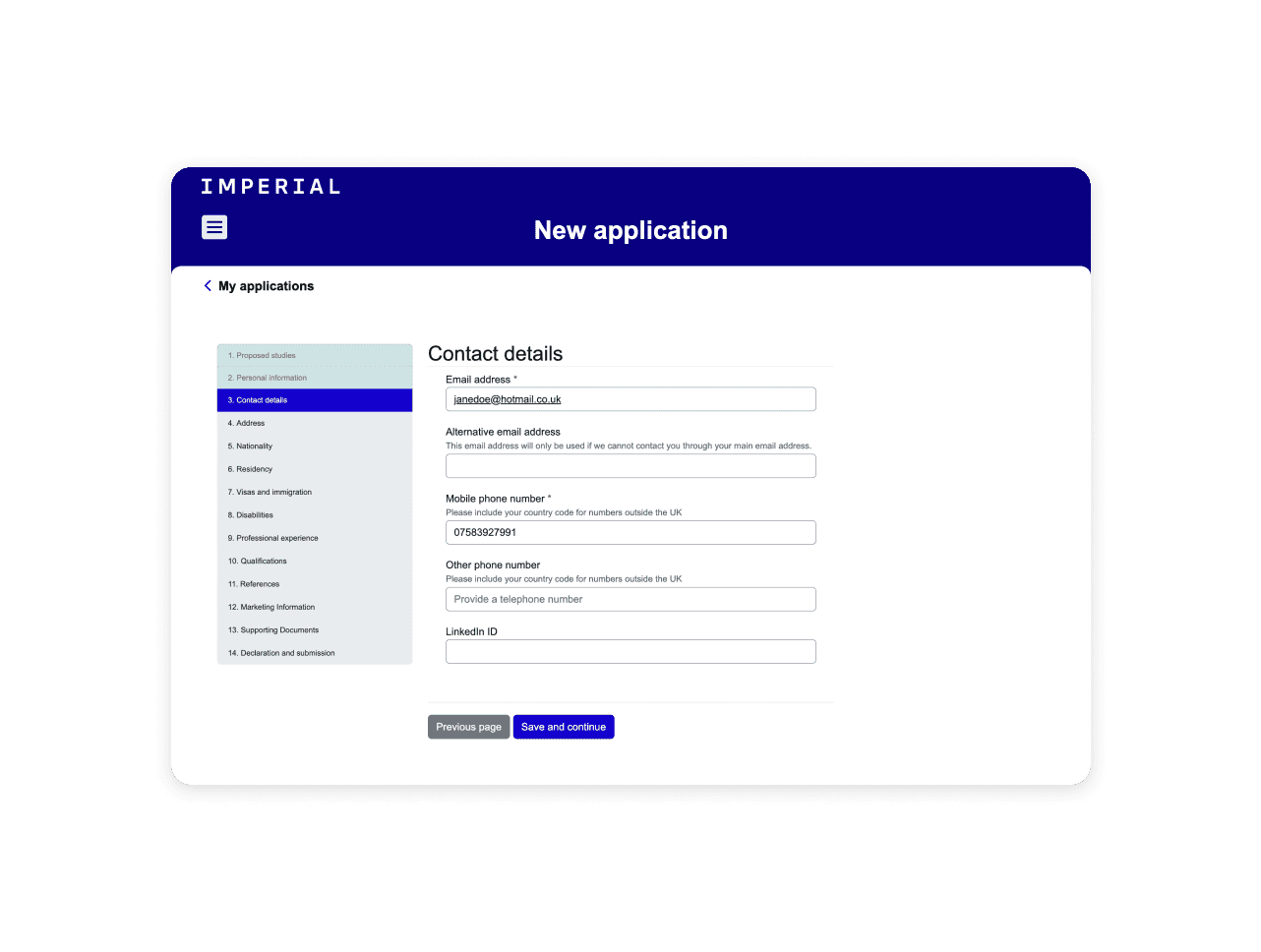
I also focused on improving the user experience of the contact details form step. This involved relabelling the "Home phone" field to "Other phone number" and moving it to appear below the “Mobile phone” field to better align with user journey priorities and make the labelling consistent with other forms. The relabelling was implemented using JavaScript rather than modifying the column directly, to ensure consistency across documentation and prevent potential issues if the same form was used by other applications. Additionally, because it made more sense from a user flow perspective, I moved the "LinkedIn ID" field - which was previously on Page 5 - to the contact details form. To minimise disruption, I hid the field from its original page rather than deleting it, preserving functionality for other potential uses of the form.
Technologies used:
Power Platform CLI - to streamline development and deployment tasks, connect environments and automate tasks.
JS DataTables - to create interactive and feature-rich tables for web applications.
Power Portal - as it allowed for custom validation using javascript/jquery in order to meet the specific requirements.
Jira - for my team to manage the backlog, remain updated on each other’s tasks.
Azure DevOps - to run deploy pipelines.
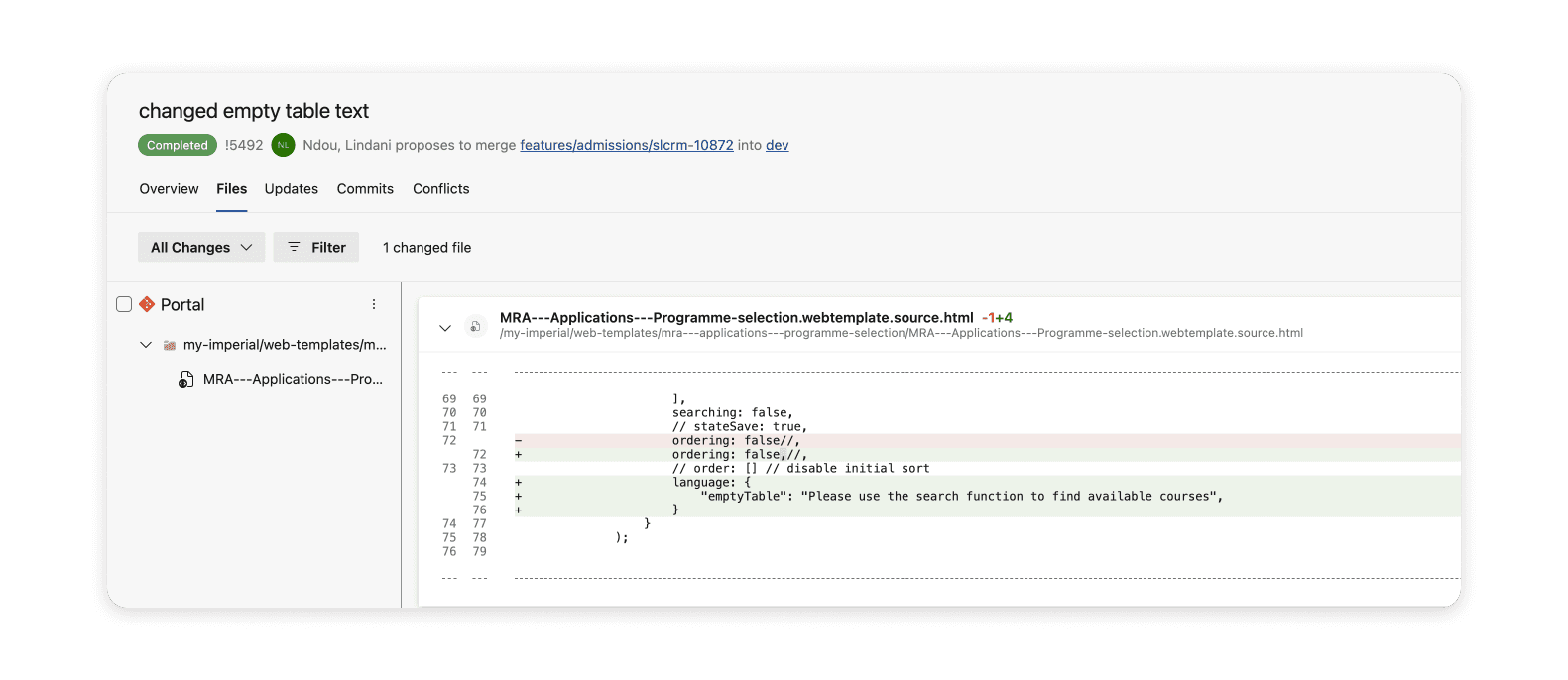
VS Code - to merge branches.
03/
Key features
Testing - SIT to maintain integrity of system across environments and solutions.
Optimisation for user journey/UX - simplifying instructions and arranging form fields logically to reduce confusion and help applicants provide the correct information. This was particularly important as we received high number of international applicants.
Cross-department collaboration - extending across various departments and courses, including the Business School and Medical School, with careful planning to accommodate time constraints, start dates, and college-imposed change freezes, such as embargoes for results days.
Custom form handling - implementing custom JavaScript to ensure specific form behaviours across different pages, including relabelling fields and repositioning them for better user experience.