Non-standard work requests
Imperial College London
Software
2,023
01/
Overview
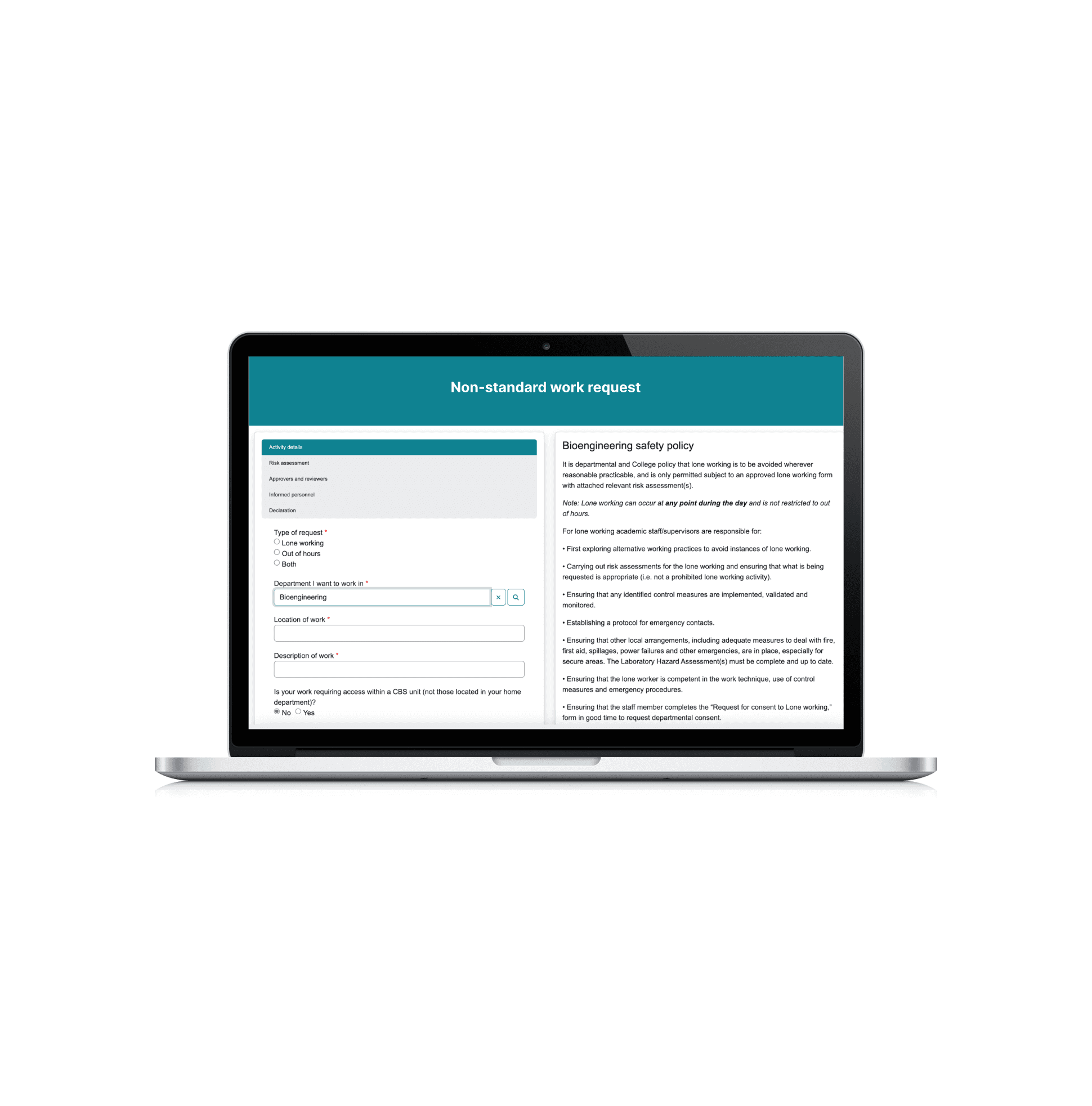
The Non-standard work requests (also known as Out-of-hours/lone-working, or OOHLW) is a solution that allows post graduate students and staff to request permission to work on their own or out of standard working hours in hazardous environments (e.g. labs must allow these requests too go through approval gateways before any work commences). The purpose of the project was to streamline the process of seeking and giving permission for the activities to replace an already existing solution on legacy software.
Stack:
Javascript/jQuery
Bootstrap
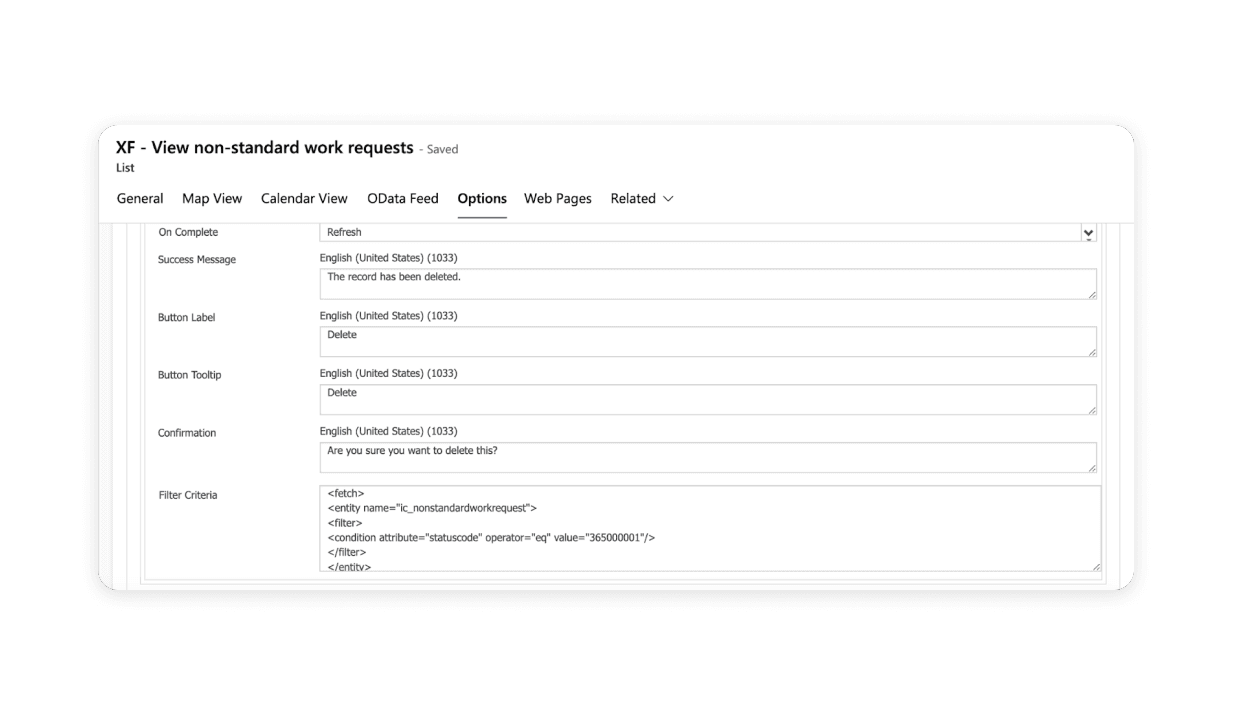
FetchXML
OData
02/
Process
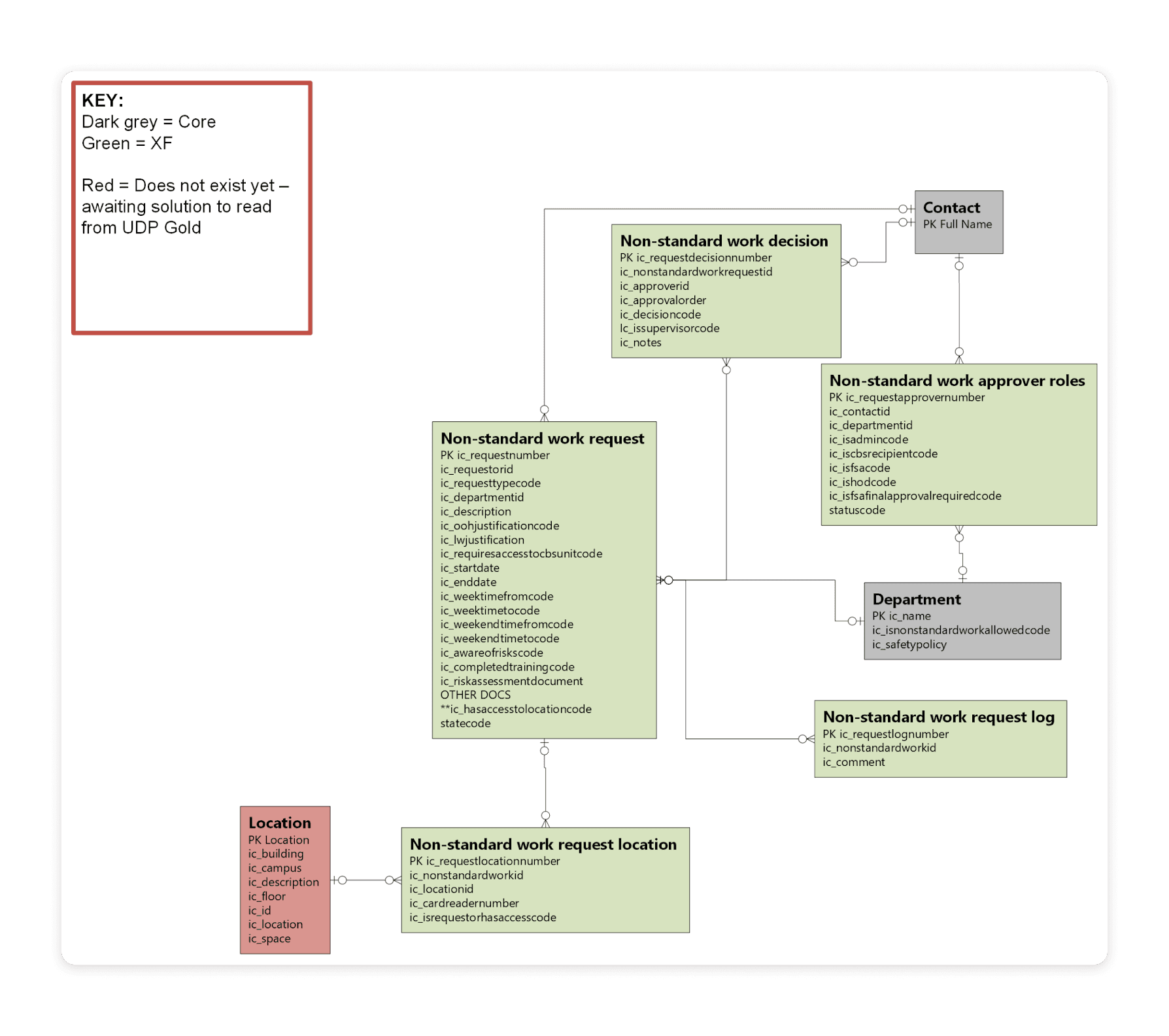
As I was the lead developer for this project, I took on the responsibilities of designing the solution, creating the data model, doing the backend and frontend and owning the end to end design of the product. For example, I made sure the solution I created followed data protection policies in order to maintain the security and confidentiality of sensitive information. I followed the advice of the tech office to select the right solution and after exploring different potential platforms, I selected Microsoft Portal due to its compatibility with the needs of the project and users on PC wouldn’t need additional licences to access the app, and all staff and student would need to be able to use it.
For this project, I used Azure DevOps as a code repository and deployment mechanism. Azure pipelines were key when it came to pushing my code to merge it with other squads’, forming a seamless Continuous Integration and Continuous Deployment (CI/CD) mechanism. This approach made code updates more efficient and our solutions stay current and agile.
As my team has demos at the end of every sprint, I led a demo to over a dozen senior stakeholders and received positive feedback. This showed me the value it brought to the university’s ecosystem. I led them through the different screens, taking my time to explain each section of the form and how to access certain areas based on if you are an admin or not.
Technologies used:
Power Portal - as it allowed for custom validation using javascript/jquery in order to meet the specific requirements.
Power Automate - to run scheduled flows (e.g. to notify a requestor when their request was about to end).
Jira - for my team to manage the backlog, remain updated on each other’s tasks.
Azure DevOps - to run deploy pipeline.
VS Code - to merge branches.
Xrm toolbox - to make writing Odata and fetchXML code easier.
03/
Key features
Use of columnar database - a columnar non-relational database database (Microsoft Dataverse) was chosen for its ability to handle large volumes of data efficiently. Unlike traditional spreadsheets, columnar databases organise data by columns, making them ideal for storing attributes like "end date" or "department" together. This scalability is imperative as the project expects an increase in non-standard work requests over time due to research activities. Additionally, maintaining compliance with health and safety procedures requires comprehensive data management, which the columnar database facilitates by allowing for efficient organisation and retrieval of information.
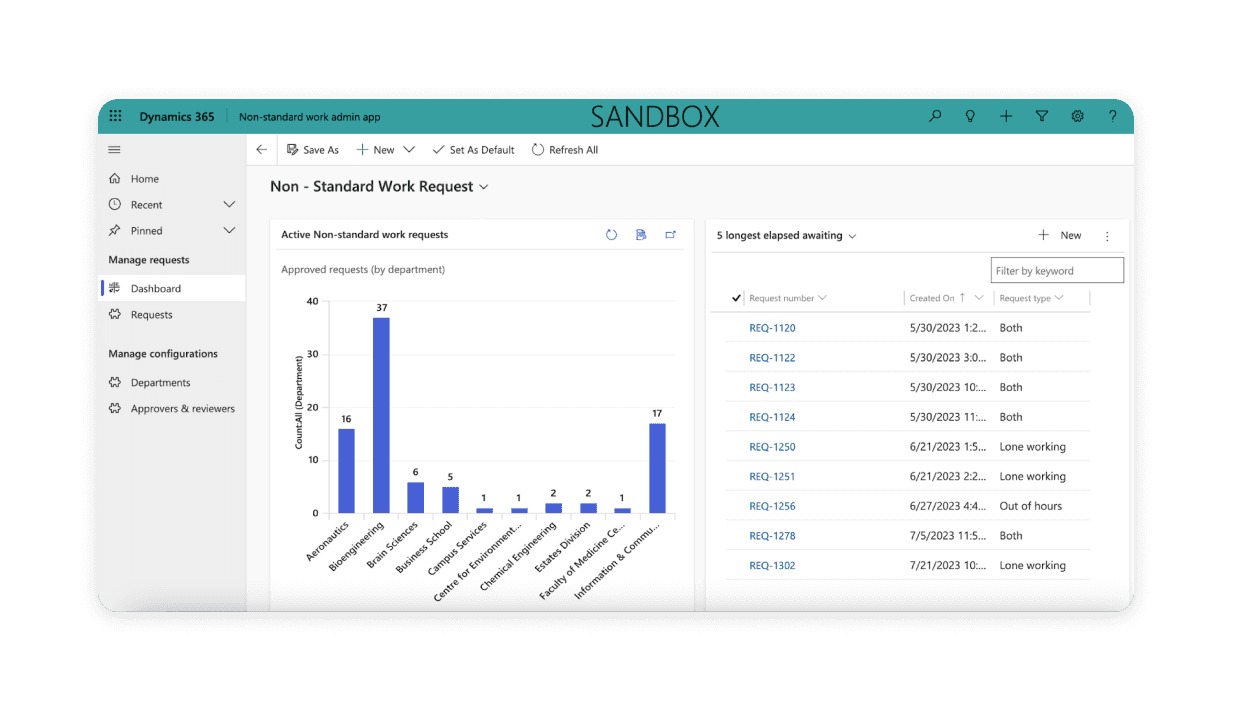
Accompanying admin app - the OOHLW app had an admin app that accompanied it. This would allow the department heads to see information about any active requests. I was responsible for building and designing this.
Custom functionality on portal - in order for me to interpret the design and execute conditional visibility, I had to use the custom jQuery and JavaScript section of the Portal. When writing my code, I made sure to include comments explaining what I was doing. This mades my code more maintainable as it would allow future engineers to understand my code and decreases the chance of accidents and misunderstandings.
Responsive - I used bootstrap to ensure the page was responsive and looked and functioned well on different sized screens. A way in which I did this was to make sure the sticky container would change size appropriately, and eventually move to the bottom of the page (on a smaller screen) once readability of its text became compromised and affected the inputs on the left side of the page.
Testing - Integration, System, User Acceptance, Non-Functional testing were all completed by me on this project.