Equipment loan requests
Imperial College London
Software
2,023
01/
Overview
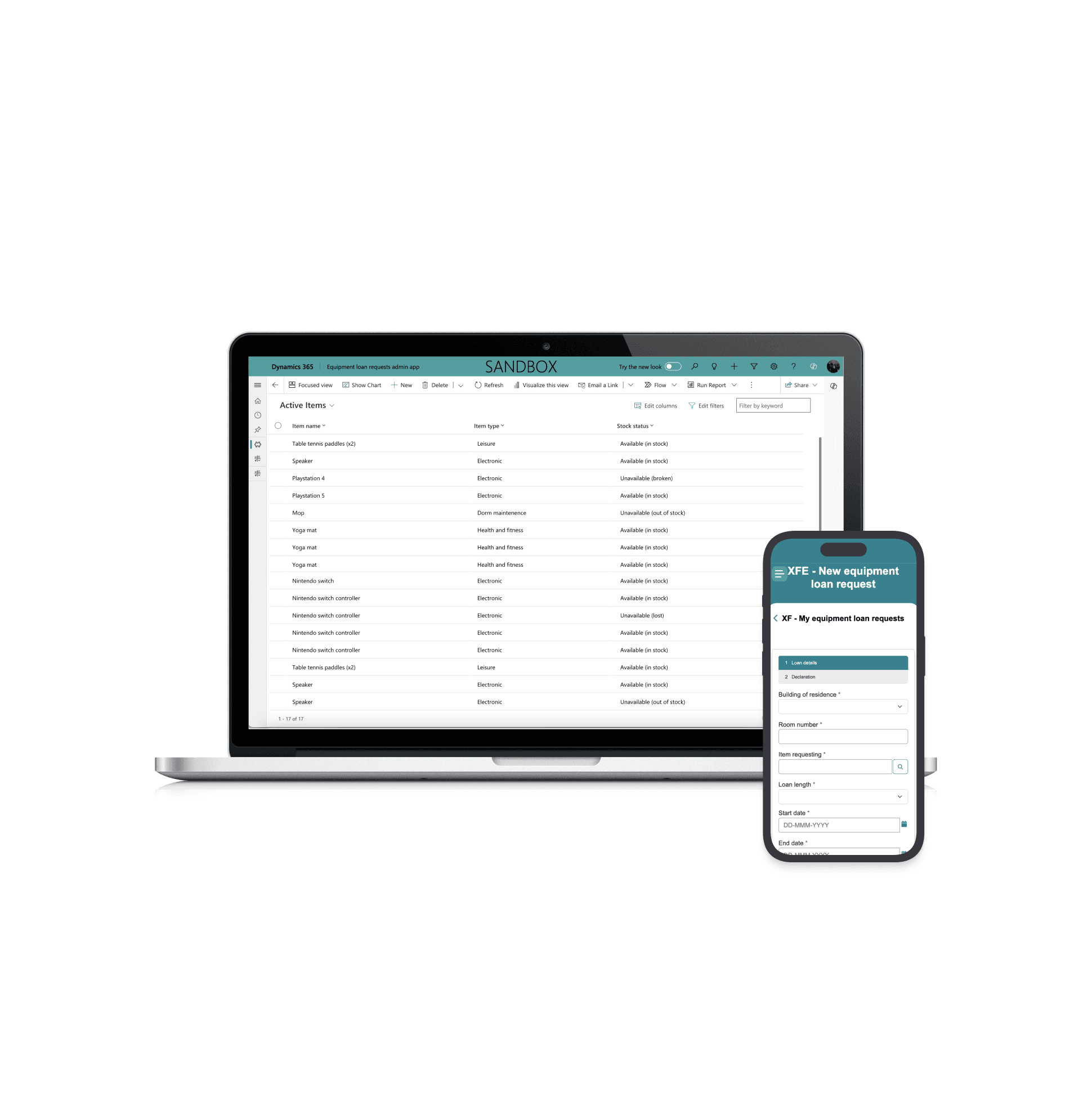
The Equipment Loan Request (ELR) application was developed to simplify the process of loaning equipment (such as, gaming consoles and ping pong paddles) in Imperial College London's residence halls by replacing the current one - which relies on paper logs. By moving the process online, the efficiency of borrowing equipment will improve whilst providing students and Halls staff (the main stakeholders) a smoother experience. Its main objective was to make it uncomplicated for students to loan equipment based on the availability of the recreational equipment whilst allowing Halls staff to easily track which student has borrowed what and which item needs updating. This feature guarantees accountability and responsible equipment use in addition to reducing administrative effort.
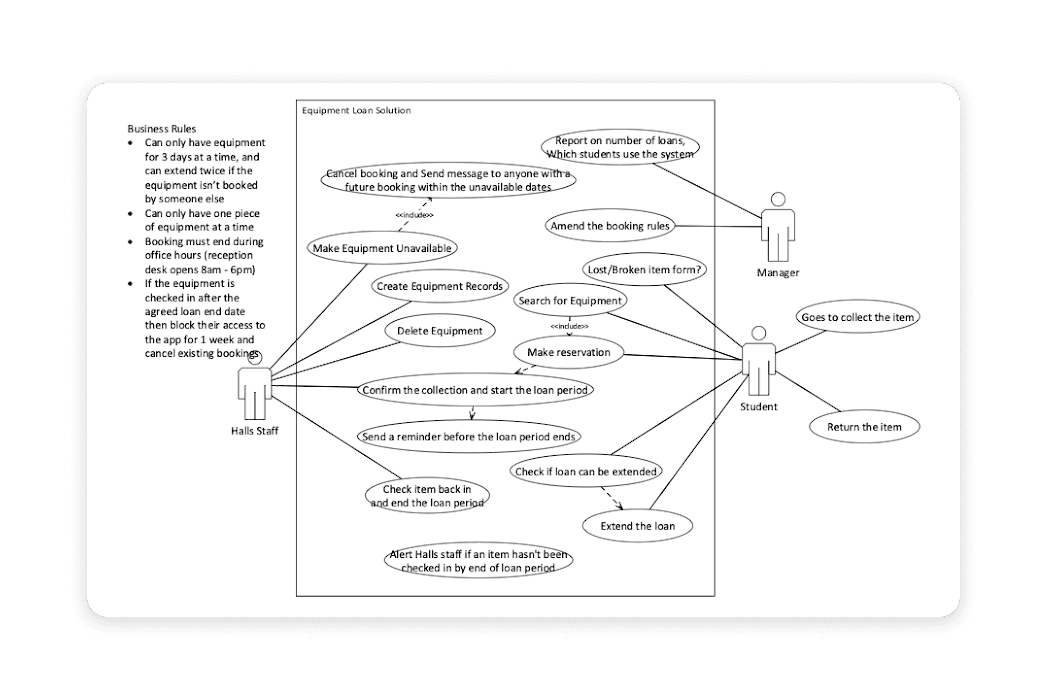
As the project's lead engineer, I carried out a wide range of roles, to manage the development process from conception to production. My main responsibility was creating a solid data model and system architecture to create a comprehensive solution. This ensured that the final product would be both scalable and responsive to the specific demands of the project by establishing the framework for effective data management and processing.
After the ideation stage, I actively participated in the frontend and backend development of the solution, taking on a hands-on role in its implementation. Throughout the development process, cohesiveness and efficiency were enhanced by the seamless integration of technological components. I took on the extra task of designing the user interface (UI) and user experience (UX) as there weren't any professional designers on the project. This resulted in an interface that is intuitive and follows the company standards, as it prioritised user interaction and consistency.
Stack:
Javascript/jQuery
Bootstrap
FetchXML
02/
Research
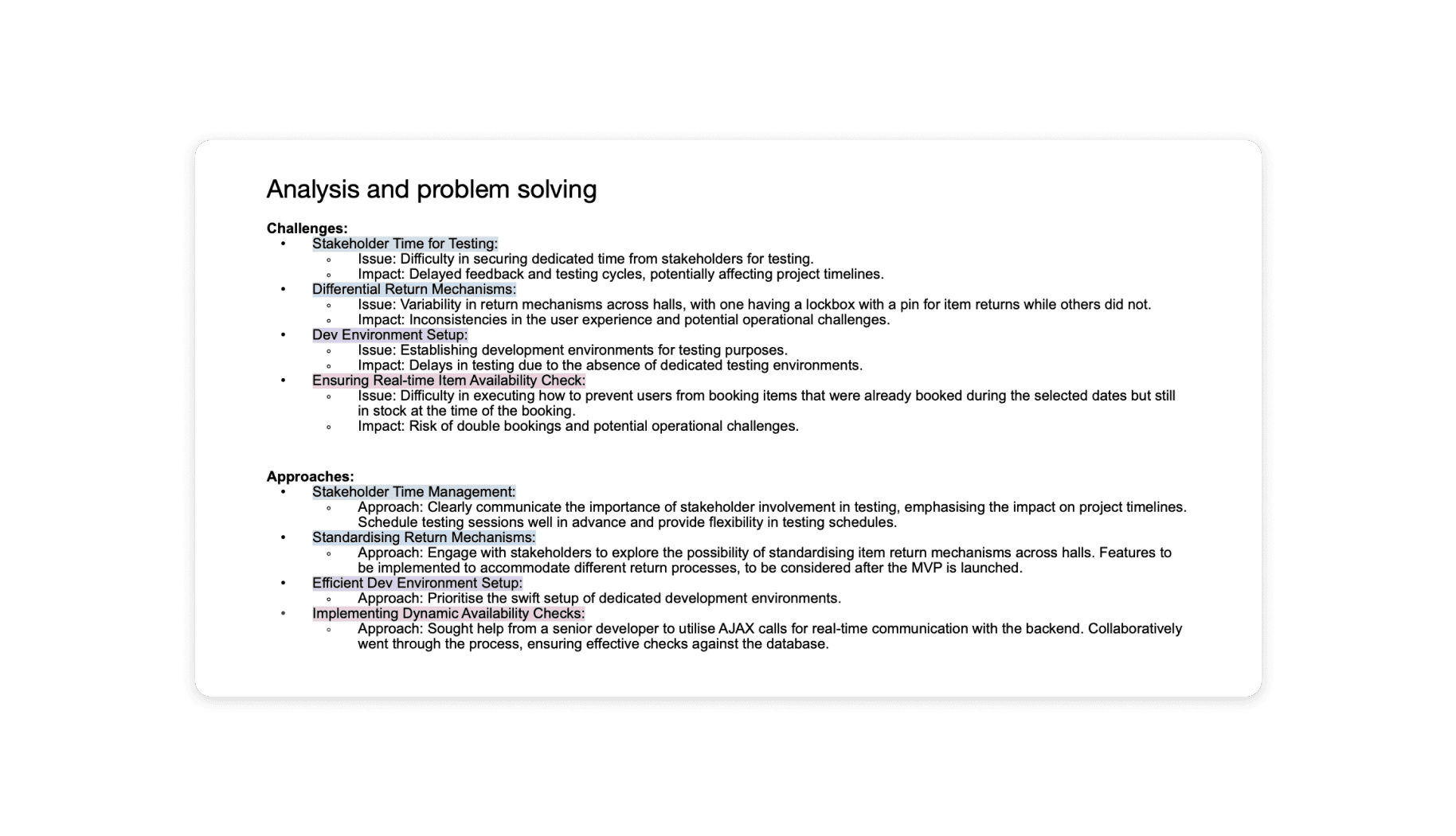
A proactive approach to research was taken in order to fulfil the project goals. Student surveys were performed prior to the project's release, and the results were quite insightful regarding the experiences and opinions of the users (for example, being frustrated because of having to make various trips to the office when attempting to collect an item that may or may not still be on loan). This allowed for possible areas for improvement to be identified. Project modifications and enhancements post-release were informed through an iterative feedback loop, guaranteeing alignment with user requirements and expectations.
Furthermore, upon reviewing the responses, we noticed that many students admitted to the cause of their late returns being because they were unaware of the office hours of the Halls of Residence. We then made it a priority to make sure this information was clearly visible as a user worked through the form. This was executed by having a sticky container with conspicuous bold text.
Technologies used:
Power Portal - as it allowed for custom validation using javascript/jquery in order to meet the specific requirements.
Power Automate - to run scheduled flows (e.g. to notify a requestor when they had to return their item).
Jira - for my team to manage the backlog, remain updated on each other’s tasks.
Azure DevOps - to run deploy pipeline.
VS Code - to merge branches.
Xrm toolbox - to make writing Odata and fetchXML code easier.
03/
Key features
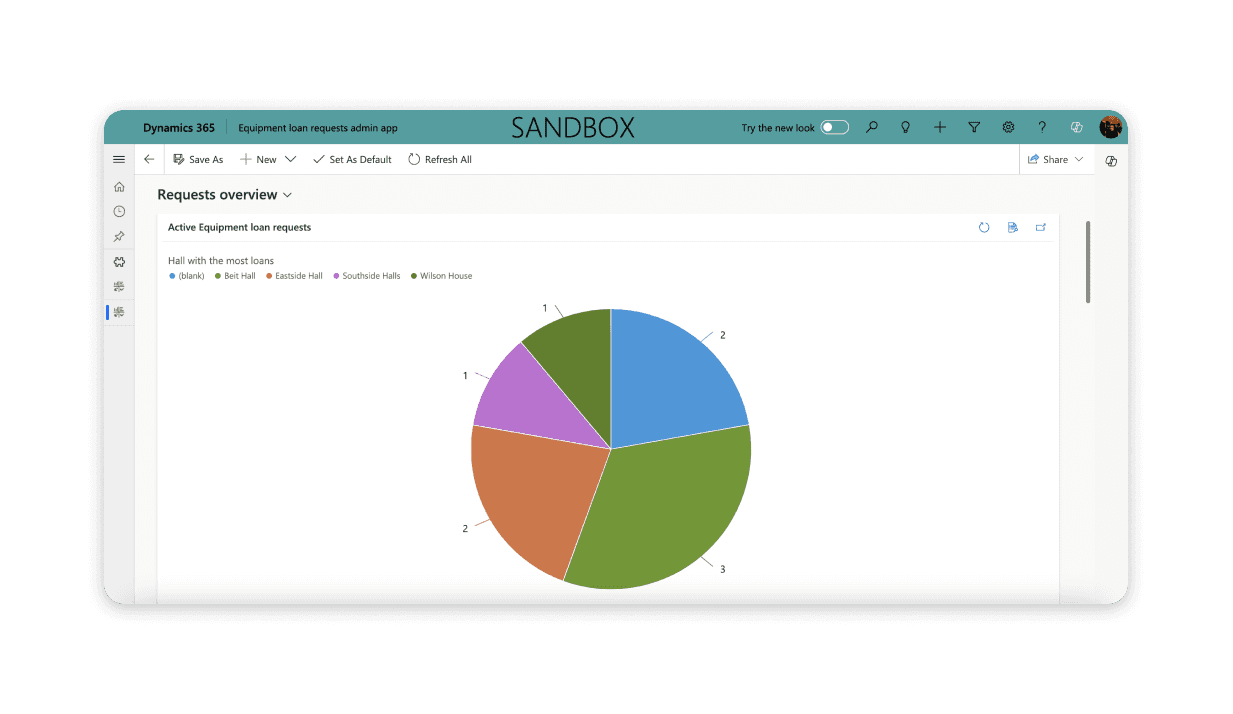
Accompanying admin app - the OOHLW app had an admin app that accompanied it. This would allow the halls of residence staff to see information about any active requests and show dashboards that would give an overview of the requests being submitted. This pie chart shows them the total of requests from which building. I was responsible for building and designing this.
Use of FetchXML - an AJAX call to the CRM (the backend of the portal) is done to find out if a particular item is available on the dates that are specified. It performs a query on the form table in the database to determine the item's availability. The user can proceed with the booking if the item is available; if not, a prompt will appear asking them to choose alternative dates.
Responsive - I used bootstrap to ensure the page was responsive and looked and functioned well on different sized screens. A way in which I did this was to make sure the sticky container would change size appropriately, and eventually move to the bottom of the page (on a smaller screen) once readability of its text became compromised and affected the inputs on the left side of the page.
Accessibility - In adherence to organisational standards, I tested the app using a screen reader. Imperial regularly tests their apps this way to ensure their products apply to industry standards. Every phase of development is supported by a thorough understanding of these policies to guarantee that the project complies with the organisation's ethical and procedural standards.