Events portal
Imperial College London
Software & Data
2,024
01/
Overview
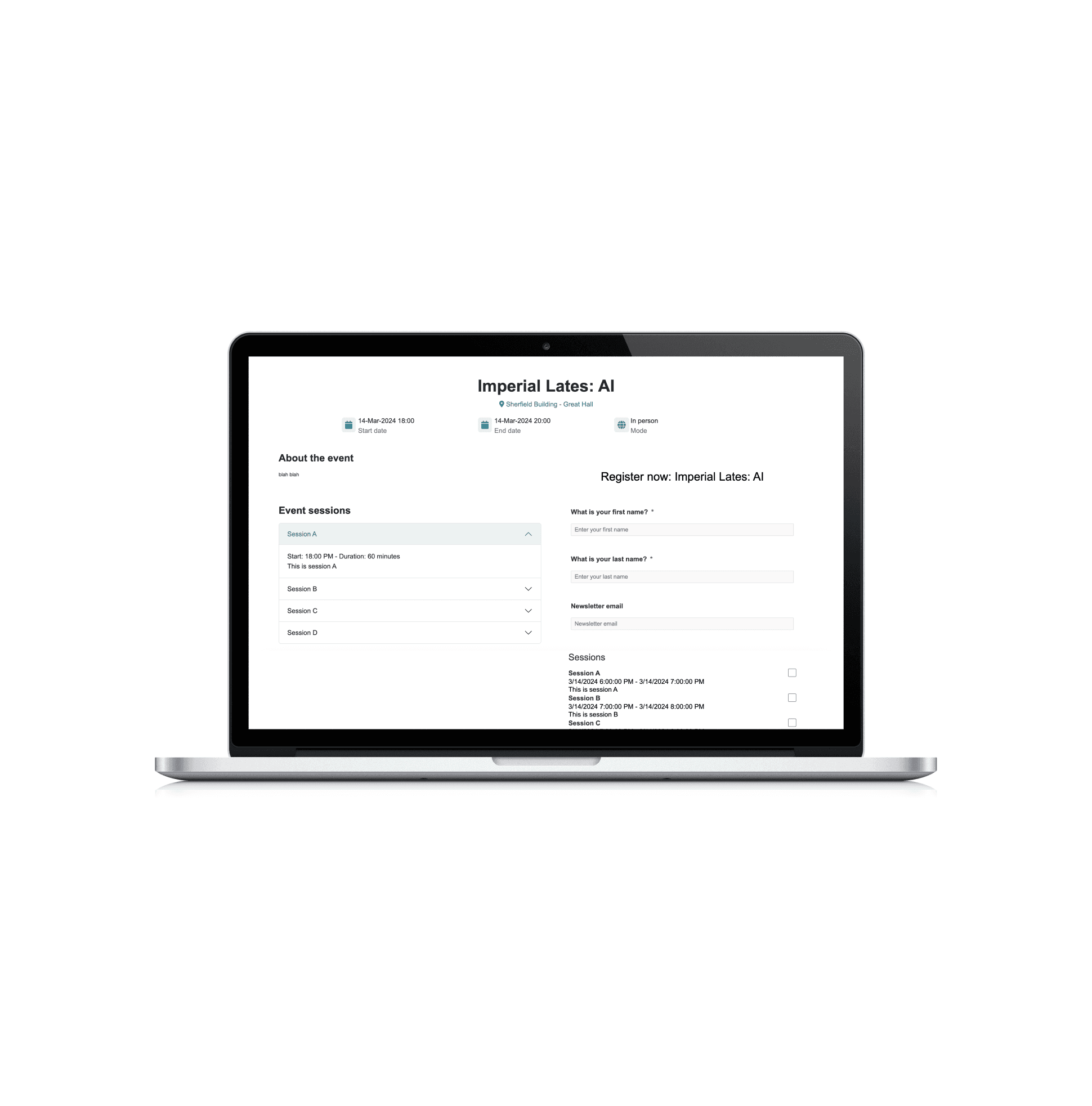
The Event portal was developed to centralize event registration and management processes, replacing multiple external systems. Currently, different departments use various external registers, and two systems are paid for, leading to inefficiencies and excessive costs. The project's goal is to consolidate all event administration functions onto a single platform and incorporate additional features to enhance staff and user experiences.
Stack:
Javascript/jQuery
Bootstrap
02/
Process
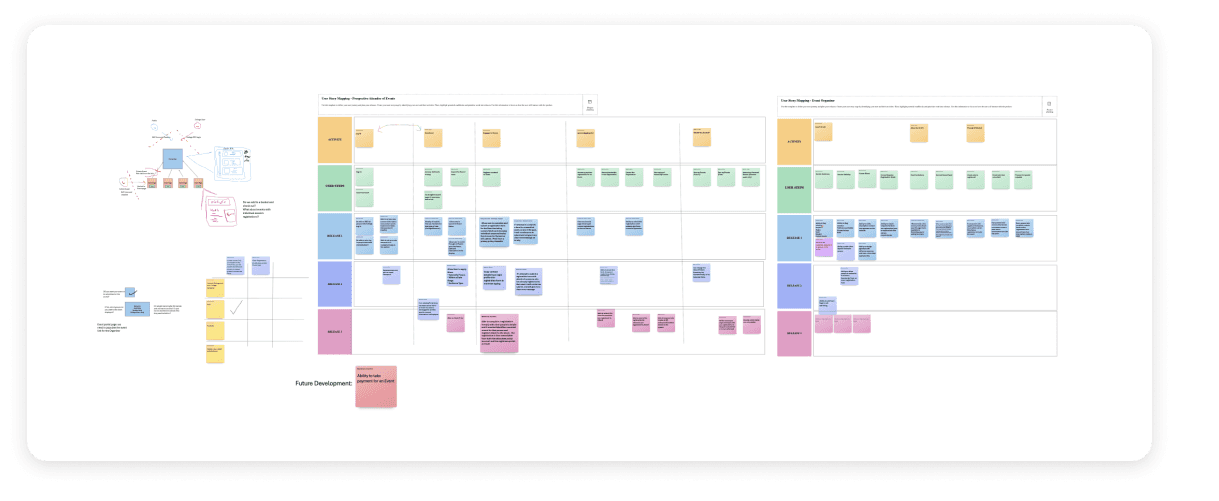
The ability for users to view previous events they've attended is one of its most useful features. This functionality not only provides a record of event participation but also allows admins to invite previous attendees to new ones with ease. Microsoft Dynamics is used to store all event data in a single, central CRM system, ensuring the data remains easily accessible and organized. Furthermore, GDPR compliance remained a priority in the development, ensuring no personal details were exposed, while allowing public access to events. Staff and students also benefit from autofilled details during login, making registration fast and seamless. Event confirmations and registrant information are also visible in the backend/admin view and additional events are visible to staff and students who are logged in.
Significant cost savings are another benefit of this centralized solution as platforms such as Eventbrite - which can be expensive - were previously used by many teams. By consolidating event management into a single interface, the project reduces the effort required for staff to set up events. Improved organization of contacts results in more efficient outreach and communication. Overall, this system provides a seamless experience for both staff and external users, improving operational efficiency while reducing costs.
Technologies used:
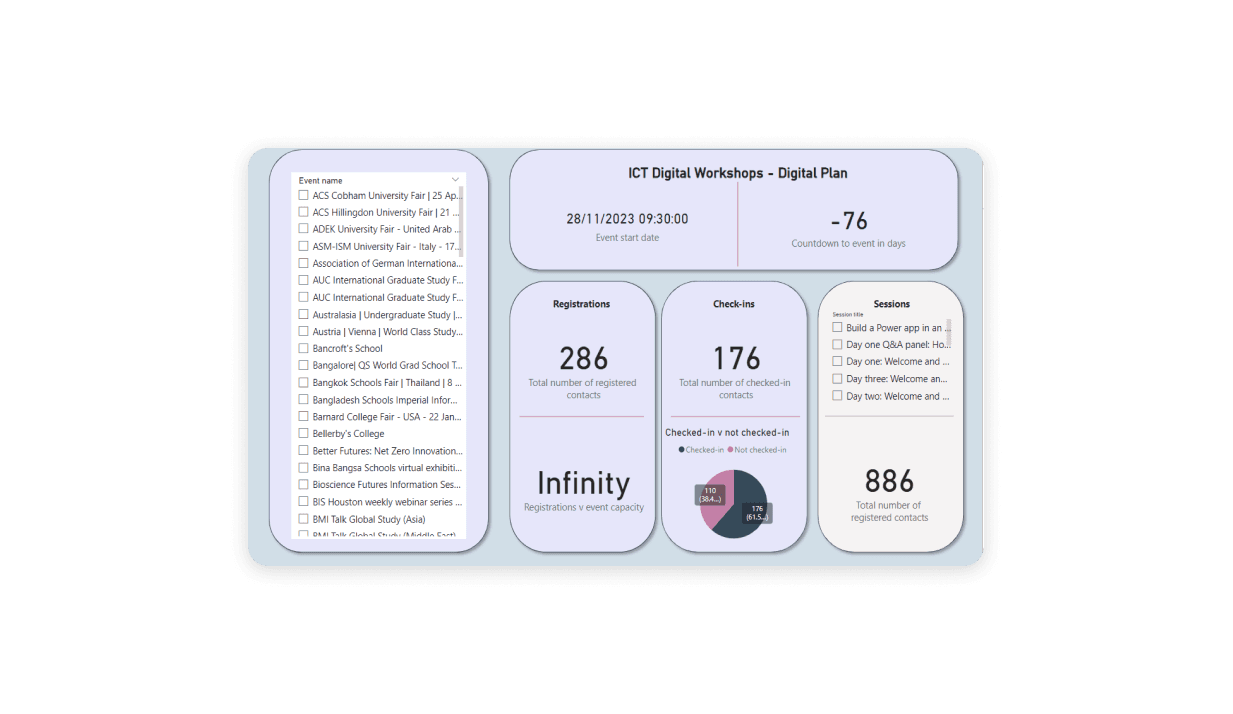
Power BI - for data summarization and dashboard creation, enabling users to interact with the data seamlessly.
Power Portal - as it allowed for custom validation using javascript/jquery in order to meet the specific requirements.
Jira - for my team to manage the backlog, remain updated on each other’s tasks.
Azure DevOps - to run deploy pipelines.
VS Code - to merge branches.
03/
Key features
Accompanying admin app - the events app has an admin app that accompanies it. This would allow staff to see information about upcoming and current events throughout their cycle. The app would also display analytics on dashboards to give an overviews of relevent information (e.g. nunmber of registrations against actual check-ins).
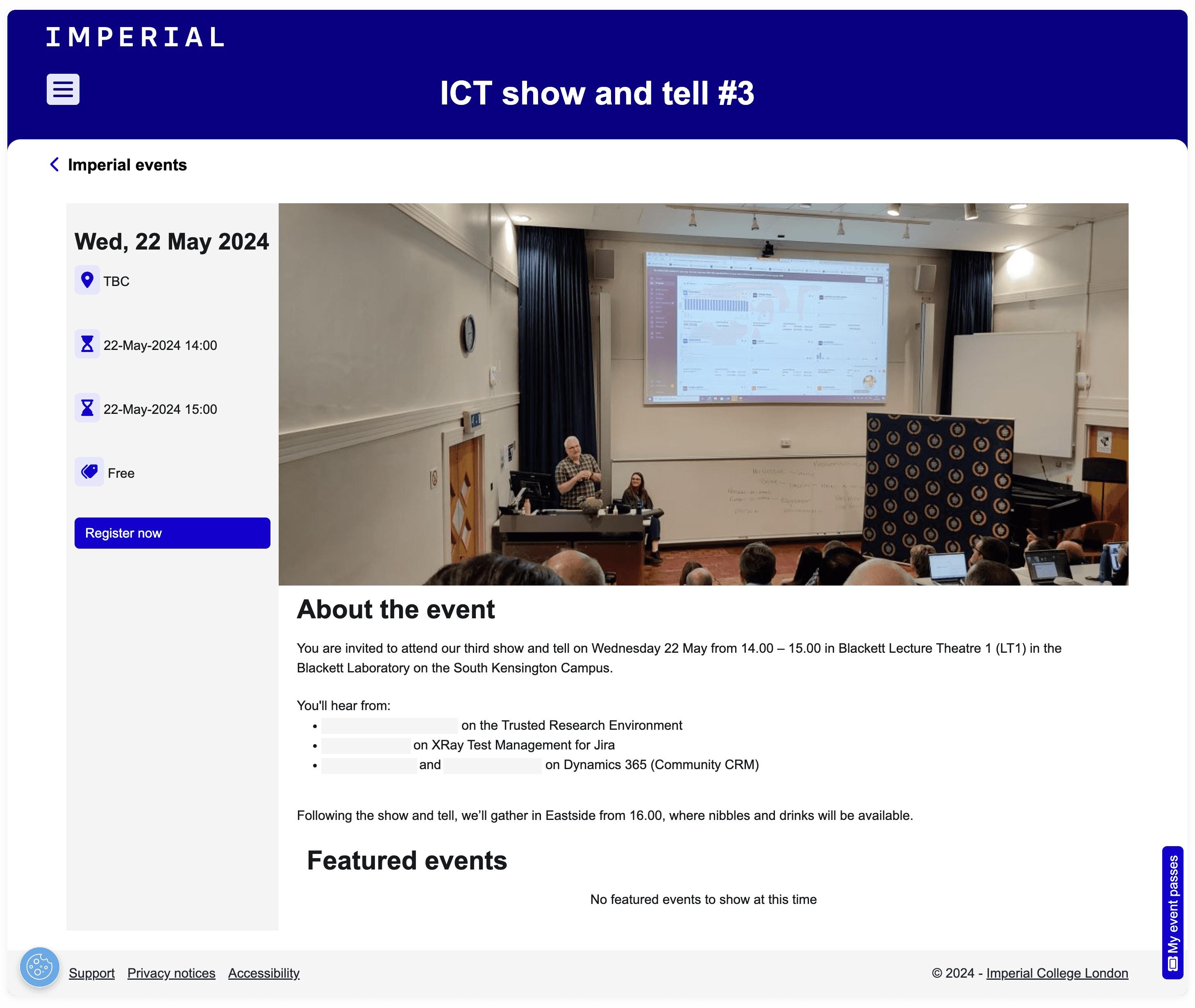
Responsive - bootstrap was used to ensure the page was responsive and looked and functioned well on different sized screens.
Accessibility - In adherence to organisational standards, I tested the app using a screen reader. Imperial regularly tests their apps this way to ensure their products apply to industry standards. Every phase of development is supported by a thorough understanding of these policies to guarantee that the project complies with the organisation's ethical and procedural standards.